Why Are My Facebook Ads Not Converting? (7 Real Reasons + Fixes)
You are spending money. People are clicking. But nothing is converting.
This is one of the most frustrating situations in ecommerce , your Meta Ads dashboard shows traffic, your CPCs look reasonable, but your Shopify store sits quiet. No add-to-carts. No purchases. No revenue.
The good news: this is almost always fixable. After managing $8M+ in Meta ad spend across 40+ ecommerce brands, we have seen the same conversion problems appear over and over again. Here are the 7 most common reasons Facebook ads stop converting , and exactly what to do about each one.
1. Your pixel is broken or tracking the wrong events
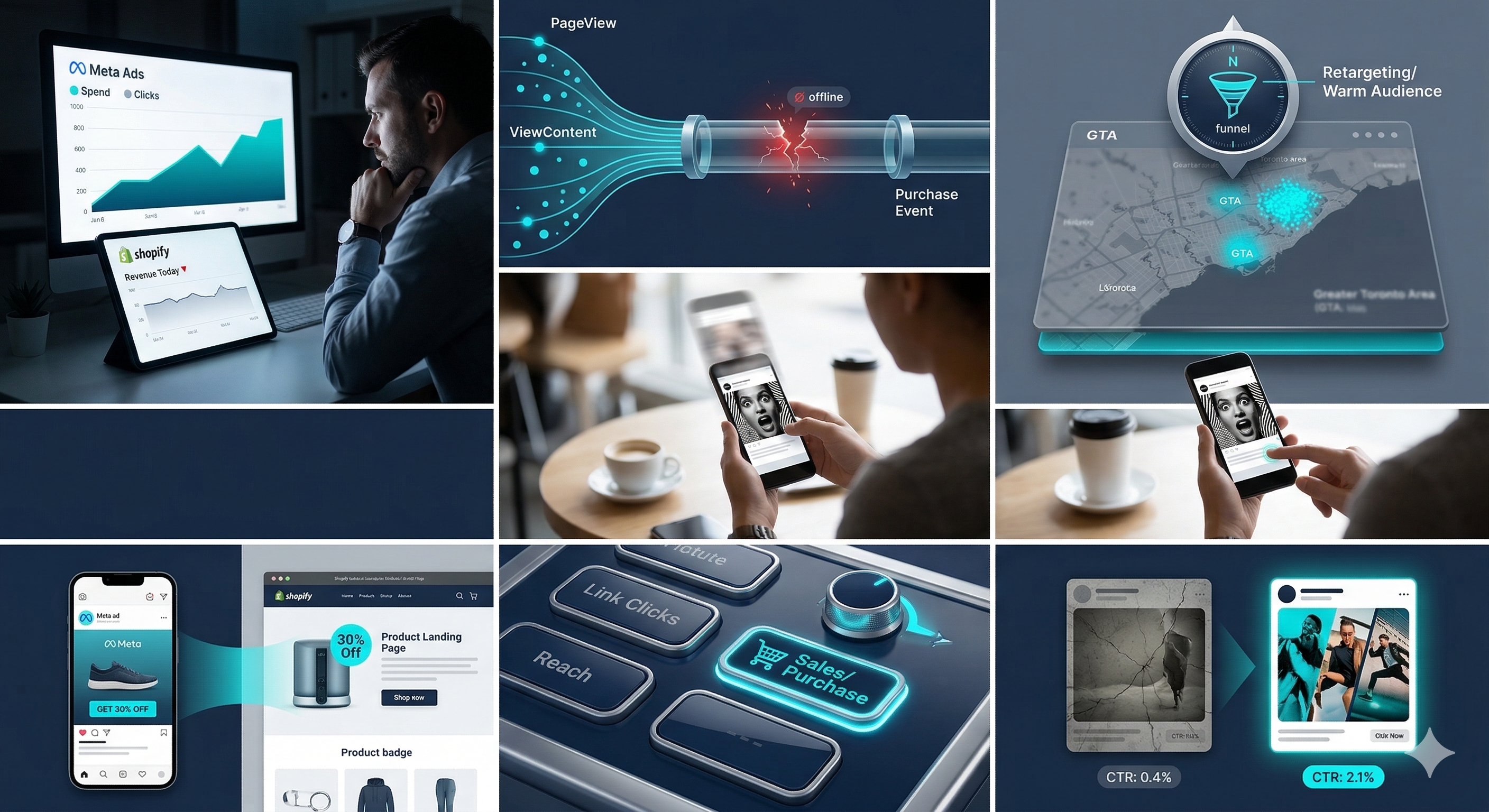
This is the first thing to check , always. If your Meta pixel is not firing correctly on the Purchase event, Facebook has no idea which ads are actually driving sales. It will optimise for the wrong thing, spend your budget chasing clicks from people who will never buy, and show you a ROAS number that has no connection to reality.
How to check: Open Meta Events Manager and look at your pixel activity. You want to see Purchase events firing. If you see only PageView or ViewContent events, your pixel setup is incomplete.
The fix: Install the Meta Conversions API (CAPI) alongside your pixel. This server-side tracking recovers purchase data that iOS privacy changes have made invisible to the pixel alone. For Shopify stores, this is a 10-minute setup through the Meta sales channel.
2. Your audience is too broad or too cold
Broad audiences work , but only once you have enough purchase data to let Meta's algorithm learn who your buyers actually are. If you are spending less than $5,000 per month, running a broad cold audience campaign with no warm retargeting layer is usually wasting a significant portion of your budget.
The fix: Build a full-funnel structure. Start with a retargeting campaign targeting website visitors and abandoned carts , this is your highest-ROAS audience and it costs almost nothing to run. Then layer in a lookalike audience built from your actual purchasers. Only expand to broad cold audiences once your account has at least 500 purchase events for Meta to learn from.
3. Your creative hook is not stopping the scroll
The first 1-3 seconds of your ad determines whether someone stops scrolling or keeps going. Most brands use creative that leads with their product or brand logo , neither of which is interesting to someone who has never heard of you.
What works: Lead with the problem your customer has, not the product you sell. Instead of showing your product first, show the frustration or situation your buyer recognises. That pattern interrupt stops the scroll.
The fix: Test three different hook types simultaneously , a problem-agitation hook, a social proof hook (real results, real numbers), and a before/after transformation hook. Run them for 7 days and let the data tell you which
angle your audience responds to.
4. Your landing page does not match your ad
If your ad promises 30% off but your landing page shows full price, you will lose the sale at the click. If your ad targets women aged 25-35 but your landing page hero image shows a man, you create a subconscious disconnect. Any mismatch between the promise in your ad and the experience on your landing page kills conversions.
The fix: Read your ad copy, then immediately visit your landing page as if for the first time. Ask: does the page deliver exactly what the ad promised? Is the offer immediately visible without scrolling? Does the page load in under 3 seconds on mobile? If any answer is no, fix that before touching your ad account.
5. You are optimising for the wrong objective
If you are running a campaign optimised for Link Clicks or Landing Page Views and wondering why you are not getting purchases , that is your answer. Meta will give you exactly what you ask for. If you ask for clicks, you will get clicks. If you want purchases, you need to optimise for purchases.
The fix: Switch your campaign objective to Sales and set the conversion event to Purchase. If your pixel has fewer than 50 purchase events, start with Add to Cart as your conversion event to give Meta enough data to work with, then switch to Purchase once you have volume.
6. Your offer is not strong enough
Sometimes the ads are fine, the tracking is fine, and the audience is fine , but the offer is not compelling enough to drive action. In a crowded ecommerce market, a generic 10% off discount is not a reason to buy today. Urgency, exclusivity, and value clarity are what convert.
Questions to ask about your offer: Is it immediately clear what the customer gets and at what price? Is there a reason to buy now rather than later? Does the perceived value exceed the price? If you are not sure, look at what your best-selling competitors are offering and ask yourself honestly why someone would choose you.
The fix: Test a stronger offer , a bundle deal, a free gift with purchase, a limited-time price, or a bold money-back guarantee. Sometimes a single offer change doubles conversion rate overnight.
7. Your creative has fatigued
Meta shows your ads to the same people repeatedly. Once someone has seen your creative 3-4 times without converting, they start ignoring it , and your frequency goes up while your ROAS goes down. This is called creative fatigue and it affects every account eventually.
How to spot it: In your ad account, check the Frequency column. If you are seeing frequencies above 2.5 on cold audiences, your creative is fatiguing. Your CPM will be rising while your CTR is falling.
The fix: Refresh your creative every 4-6 weeks. You do not need to rebuild your entire strategy , just introduce 3-5 new ad variations with fresh hooks and visuals. Kill the lowest performers and let the winners keep running.
The bottom line
Facebook ads that are not converting are almost never a targeting problem. They are a tracking problem, a creative problem, or a landing page problem , and usually a combination of all three.
Work through this checklist in order:
Fix your pixel and install Conversions API
Confirm you are optimising for Purchase events
Build a retargeting campaign if you do not have one
Audit your landing page for speed, clarity, and offer match
Test new creative hooks
Check your frequency and refresh fatigued ads.
If you work through all seven of these and are still not seeing results, the problem is likely in your account structure, your bidding strategy, or your offer , and that is where a second pair of eyes makes a significant difference. Our team is a specialist Meta Ads agency based in Oshawa, Ontario, and we also run high-performance Google Ads and ecommerce marketing campaigns for brands across Toronto, the GTA, and Canada.